

MIO Console 3d
For 3d and mkIV, we designed a new, retina-enabled, 64-bit, cross-platform console application: MIO Console 3d.
MIO Console features a high-impact, modern, flat design with scalable UI elements. With user controllable color theming and extensive support for user-configurable interaction preferences, it is easy to tune the console to fit your style (and your eyesight). MIO Console also adds support for standard UI gestures including drag-and-drop for inserts and multi-strip control swiping.
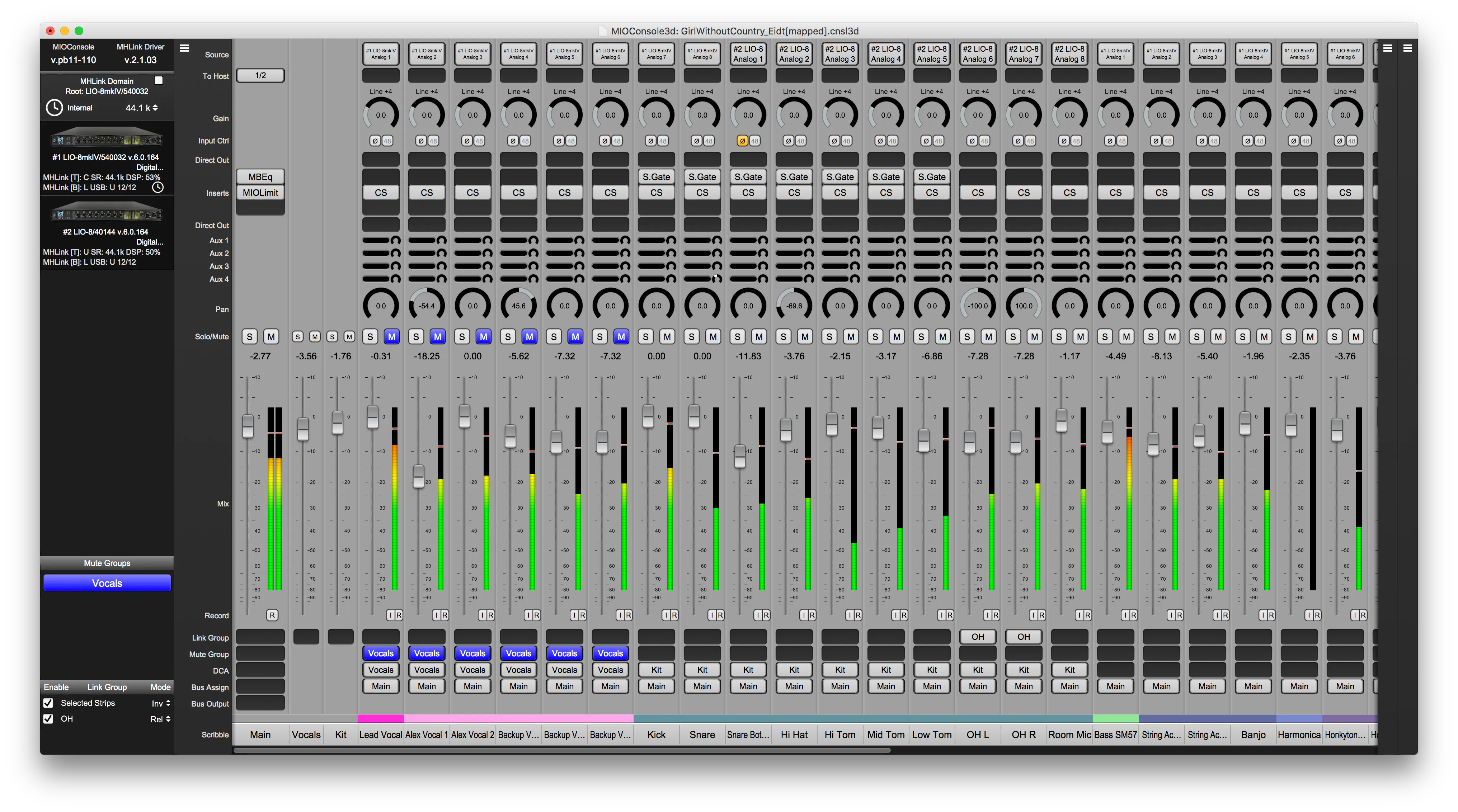
Mixing
Imagine having a large-format recording and mixing console in a 1RU unit. mkIV is just that — you will not be limited by this mixer.
MIO Console provides the UI to control the mkIV Mixer. This mixing engine is a full blown mixing console - not a mere interface monitor mixer. It features multi-bus mixing, arbitrary routing, input and output multing, zero-latency hardware plug-ins, surround support, and headamp control. The Mixer removes the limits that other interfaces have by providing:
These features taken together unlock mixing workflows specifically targeting live and zero-latency cue mixing during tracking as well as enabling you to record and mix with Session as a dedicated solution.
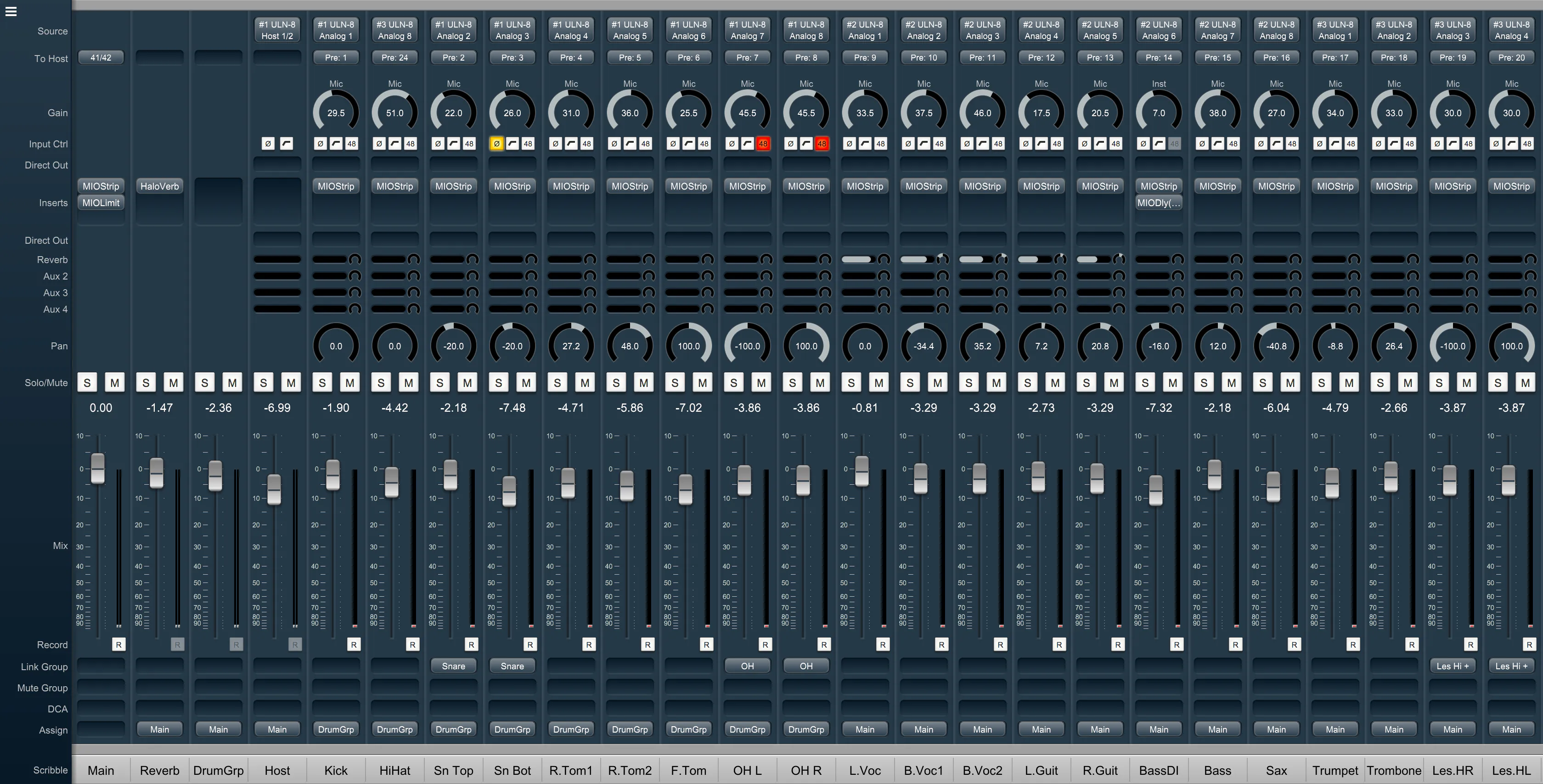
- Up to 128 channels of input (@192k)
- Up to 64 (mono) buses (@192k)
- Mix buses that span all the hardware in your MH system
- Mix and panning support from mono up to 7.1
- Automatic routing to the computer
- Cascade assignment of inputs, sends, buses and plug-ins
- Instantiating plug-ins and graphs with presets
- Dragging plug-in inserts within the mixer (including drag-copy)
- Unlimited Parameter Link Groups
- Unlimited DCAs
- Unlimited Mute Groups
- Hardware polarity invert
- On-strip headamp control
- Pre- and post-insert direct outs
- Hardware I/O inserts
- Latency compensated bus-to-bus summing
- Support for automatic input switching and punch-in with Session
- Support for automatic Session I/O routing
- Comprehensive metering
- Optional non-destructive AFL/PFL soloing
- Hard Mutes
- Fully configurable Main, Aux and Group buses (up to a total of 64 mono buses)
- Aux sends directly on mixer strips
- Flipping Auxes onto the primary mix surface (in both the UI and on hardware control surfaces)
Session
mkIV includes complete tracking DAW that supports Live, Take-based and Overdub recording workflows. Always available and completely integrated with the hardware. It launches instantly as part of MIO Console and it doesn’t require any licenses or dongles.
Recording and playback capabilities have been a part of Metric Halo products since 1997 with the Capture Panel in our SpectraFoo Audio Analysis and Metering software package.
In 2002, elements of SpectraFoo’s Capture Panel found a new home as the multitrack MIOConsole Record Panel, included with each Mobile I/O 2882, ULN-2, and later with the second-generation ULN-8 and LIO-8 devices.
Every mkIV unit includes Session - the new tracking DAW that we evolved from the humble beginnings of the Record Panel.
Not limited to just recording, Session includes:
- Multitrack waveform overviews for the audio playing back
- Multitake playback without having to load the takes into a third party DAW
- Multitrack playback with instant cueing against waveforms
- Support for dropping marks on the timeline during recording and playback
- Support for Cueing to marks
- Overdubs, Segments and Edits
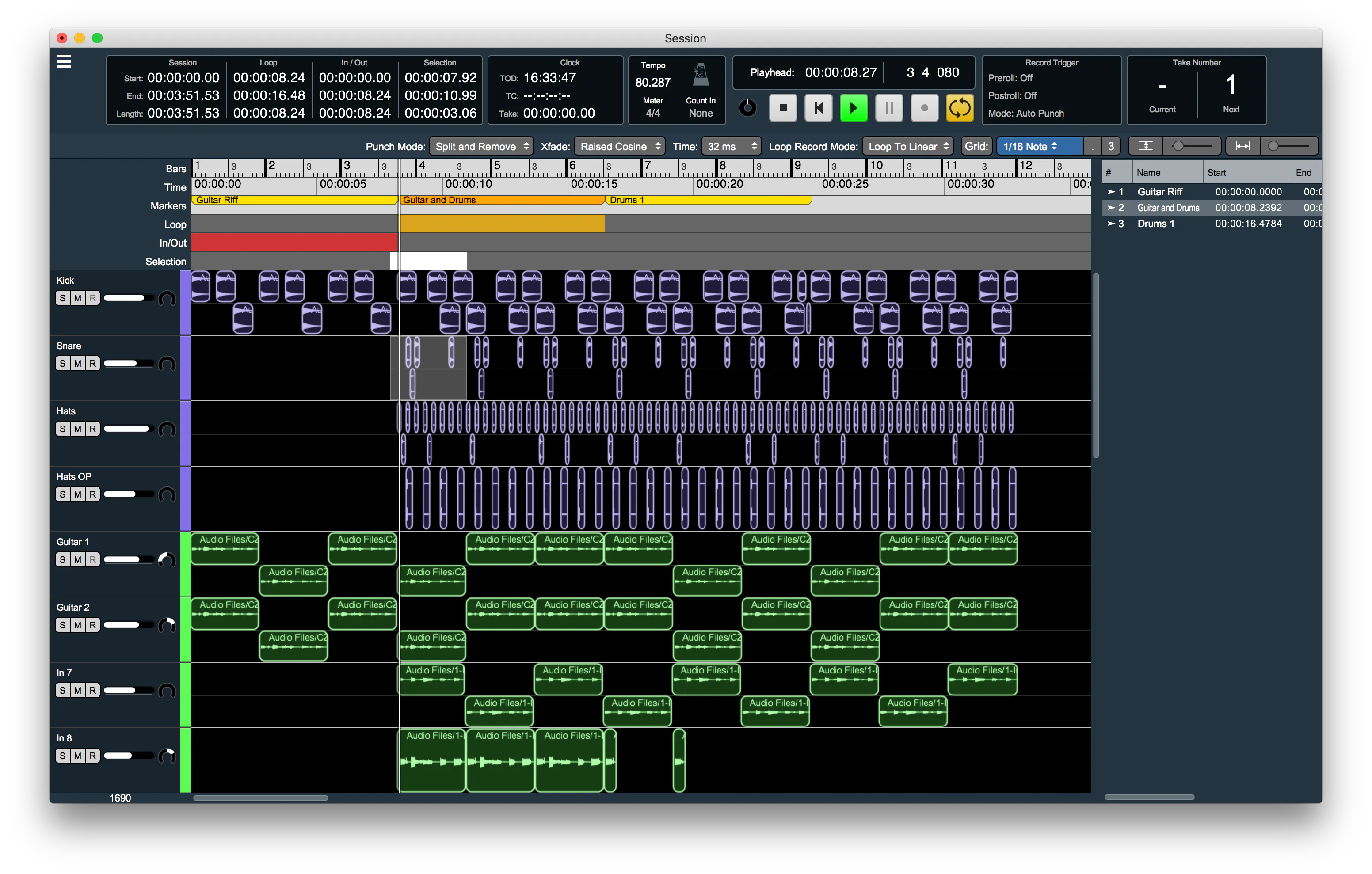
The same EDL (edit decision list) Engine that enables overdubs also supports audio editing functionality including segment drag, drop and copy, timeline selections, cut copy and paste, all with integrated fades.
Since Session is part of MIOConsole3d and has deep control of the hardware, overdubs are performed with dynamic monitor switching on record-enabled channels in the hardware mixer with crossfades on punch in/out, and with the ability to monitor both recorded tracks and live inputs through zero-latency DSP processing.
We have included track export functionality so that when you are ready to transition from tracking to production or mix down you can easily migrate your tracks to the DAW(s) of your choice.
Session’s level-based trigger, loop-recording, and autopunch functionality makes it just as easy to record yourself by yourself as it is to record for others.
In addition to DAW-style timeline recording, Session supports the original Take-based field recording model that enables easy import of takes into other DAW systems and also enables take-based recording workflows simultaneously with the session based workflow.
Session supports BWF time stamping from SMPTE LTC and the integrated sample-accurate LTC time code reader.
Session also includes extensive recording metadata in each file, including support for iXML.
Combined with the Mixer, Session provides a complete Production Mixing and Recording solution for on-set recording for Film and TV.
Session Features
Tracks & Timeline
- Each domain has its own session
- Time-based, multi-track, multi-region session, saved as part of the console file
- Unlimited Audio Segments on each track, and unlimited overlaps
- Every Audio Segment has adjustable
- Fade-in & Fade-out, with multiple fade types and fade length
- Gain
- Mute
- Time signature and tempo for a musical timeline
- Tempo calculated from Loop, Autopunch and Selection regions
- Timeline rulers
- Bars & Beats
- SMPTE Time Code
- Time
- Sample
- Loop points for loop playback and recording
- In and out points for auto-punch recording
- Musical grid
- Bars down to 1/64 notes, with triplet and dotted spacing
- Follows time signature and tempo
- Loop, In/Out, playhead and segments snap to it when enabled
- Unlimited marks
- Each with start time, duration, name, reason and notes
- Marks with duration can recall loop points
- Metronome locked to time signature and tempo, with its own strip in the mixer
Playback
- Plays each track to its own strip in the mixer
- Routes playback to the input strips' tape returns automatically
- Loop playback and count off
- Instant cueing to a location or mark
- Delayed cueing to a mark while a loop plays
- Multichannel files are down-mixed on narrower tracks; mono files up-mixed on wider ones
- Responds instantly to changes, even in loop playback
- Cueing
- Loop-point changes
- Segment gain, mute and fade positions
- Adding and removing segments
Editing
- Auto-editing modes for drags and punches
- Split and Add: splits existing segments on overlap, adds the new one
- Split and Remove: splits and removes existing segments on overlap, adds the new one
- Split and Mute: splits and mutes existing segments on overlap, adds the new one
- Add: adds the new segment
- User-selectable crossfade times for auto-edits
- Select several segments, or a time region
- Segments can be
- Split, topped and tailed at the playhead or selection
- Split or trimmed to the loop points or selection
- Named, moved or copied
- Snapped to the grid
- Removed
- Cut or copy selections, and paste at the playhead or selection
- Replace a segment's media file
- Reveal a segment's audio file in the Finder
Import/Export
- Export as new audio files
- Segments, with trimming, gain and fades applied
- One track or all tracks, whole or trimmed to the loop points
- The selected area of the session
- Import folders of audio files into new tracks
- Import folders of takes, loaded onto successive tracks
- Drag audio files straight into tracks, several at once onto successive tracks
File management
- Detects missing media files and keeps all playlist information
- Multi-file find tool locates missing files, even renamed or moved ones, and reattaches them right away
Recording
- Record-enabled tracks record to record folders, with mirroring
- Your own file and take folder naming rules
- Take number management
- Files match the track: mono to mono, stereo to stereo, 5.1 to 5.1
- Always records pre-insert and plays back through inserts
- Records onto bus tracks (to play one back, move its file to an input track)
- The mixer has tape returns and follows the transport
- Stopped: monitors inputs
- Play: tracks with segments monitor tape returns, or input + tape returns when record-enabled
- Record: tracks with segments monitor tape returns, or input when record-enabled
- Monitoring follows the transport, with cross-faded punch-in
- Pre-roll/pre-record on recorded files
- New segments run from the trigger to the end of recording
- Placed with the chosen punch mode and crossfade time
- The file can run past the segment; drag its trim points to reveal more
- Latency-compensated and aligned with the playback timeline
- Recording modes
- Take: records from the playhead without starting playback; the playhead moves on with each take
- Count in, none: playback and recording start at the playhead
- Count in, 1–4 bars: playback starts that many bars early and recording punches in at the playhead
- Count in starts from the loop start or punch-in point when either is on
- Loop recording modes
- Loop: records from the trigger, punches out at the loop end and re-arms, so new material stays inside the loop
- Loop to Linear: playback loops while recording carries on from the trigger; great for non-looping parts over a looped basic track
Timecode & Metadata
- SMPTE LTC timecode reader
- BWF timestamps from LTC or TOD
- Field recording metadata in BEXT and iXML chunks
- Polyphonic take files with all channels
Monitoring
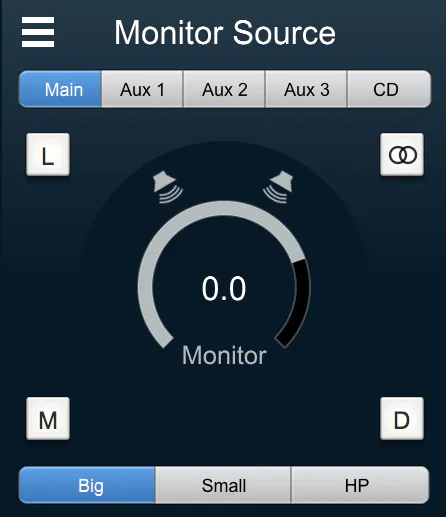
The mkIV features a full featured multi-source, multi-destination surround capable (up to 7.1.4 Dolby Atmos®) monitor controller with analog gain control and relay hard mutes.
These features include:
- Multiple source selection
- Multiple speaker output selection
- Output paths can share speakers
- Per speaker gain and delay
- Per speaker solo/mute control
- Output path calibration support
- Multichannel support from Stereo up to 7.1.4 Surround (Dolby Atmos®)
- Mono fold-down
- Mute and Dim
- Analog gain control
- Talkback
- Listenback
- Multiple cue output support
- PFL/AFL integration with the mixer
In addition to all these high-end features, the MH Monitor Controller provides unique support for per-output-path configurable signal processing including EQ, Bass Management and protective limiting. Each output path can have its own signal processing, even if the paths share speakers. This allows you to configure alternate monitoring setups with one monitoring system (for example, you could configure the signal processing to provide a band-limited monitoring path or a path that lacks subwoofer reinforcement).
Cue Control
In addition to monitoring the mix in your control room, multitrack production requires providing multiple output cues to performers, producers and/or broadcast feeds.
The Monitor Control in 3d is enhanced by a sophisticated Output Cue section that provides you with an arbitrary number of output controls. Each cue can be driven from any of the buses in the system, or it can be set to derive its input from the currently selected source in the Monitor Controller (MC).
Since each Cue can be driven by a separate mix bus from the mixer, they are perfect for routing and controlling independent headphone mixes for individual performers.
Cues can be configured to listen to PFL/AFL (or not). So for producers and engineers, the cue can follow PFL/AFL Solo in the mixer while performer and broadcast cues are unaffected by soloing.
- Talkback
- Talkback provides the ability to route a specific input to any sub-set of the cues in the system; it also allows you to control the amount that the Cue source signal is dimmed when talkback is active. The Talkback signal is mixed with the selected source.
- Listenback
- Listenback provides the ability to route the source that the engineer is currently monitoring through the Monitor Controller to any subset of the cues in the system. This allows playing back a mix of the take to any or all of the monitoring cues in the system without having to re-patch.
Processing
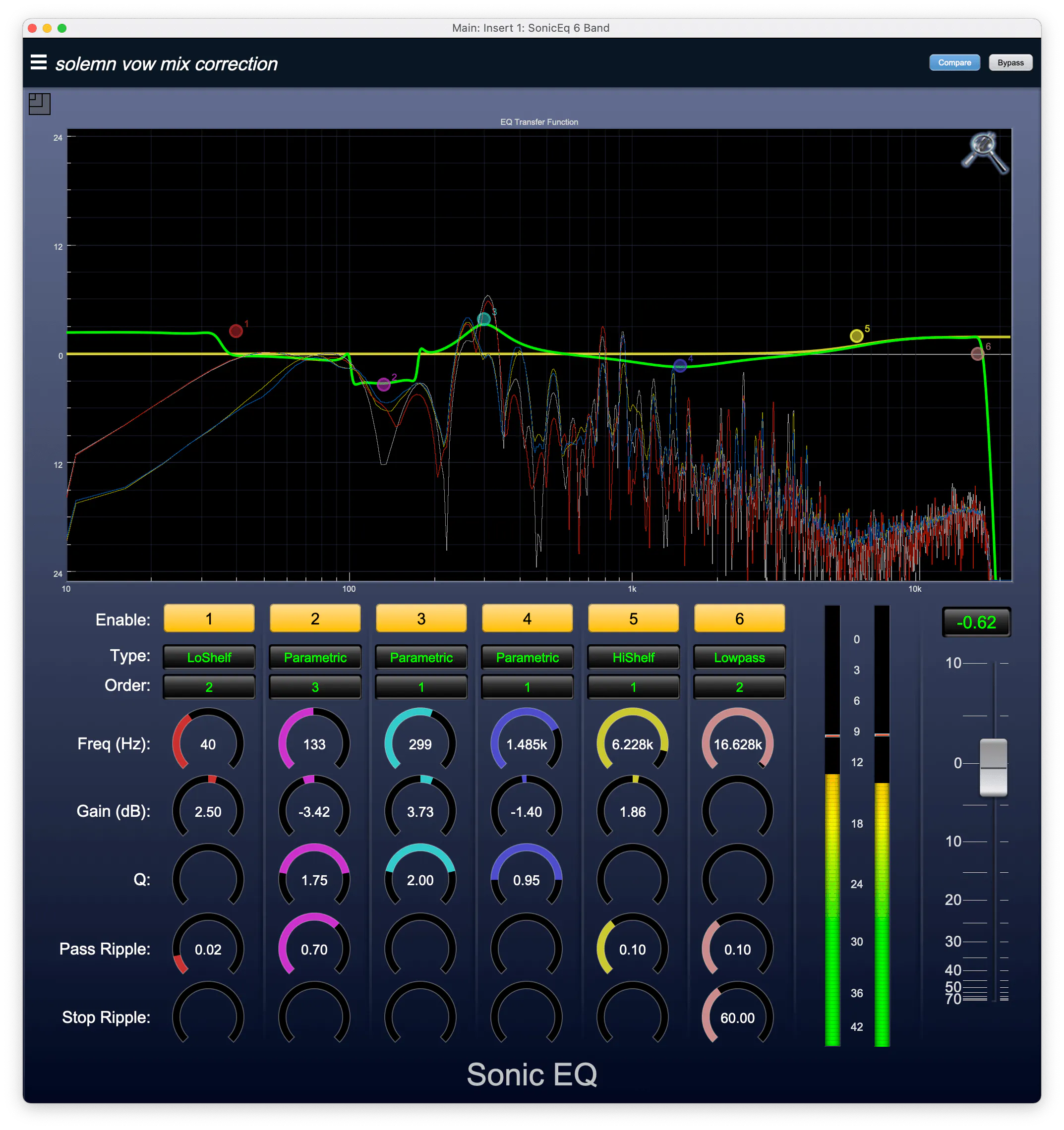
The +DSP license included with every unit provides Metric Halo’s unique Graph insert which allows you to build your own signal chains with arbitrary phase compensated routing between plugins; think of it as a DSP playground. You can insert a Graph in any insert slot in the mixer and as output processors in the Monitor Controller.
The 3d versions of the Production Bundle plugins share user presets with the Native Production Bundle plugins, so presets saved with the MH Preset system are usable in all versions of the plugins for easy migration to native DAWs.
Zero-Latency DSP
mkIV bundles over a 100 zero-latency hardware plug-ins, including the entire Metric Halo Production Bundle, the +DSP Bundle, the Make Believe Bundle and the Sontec MES-432D9D with no additional license fees or complicated licensing tools.
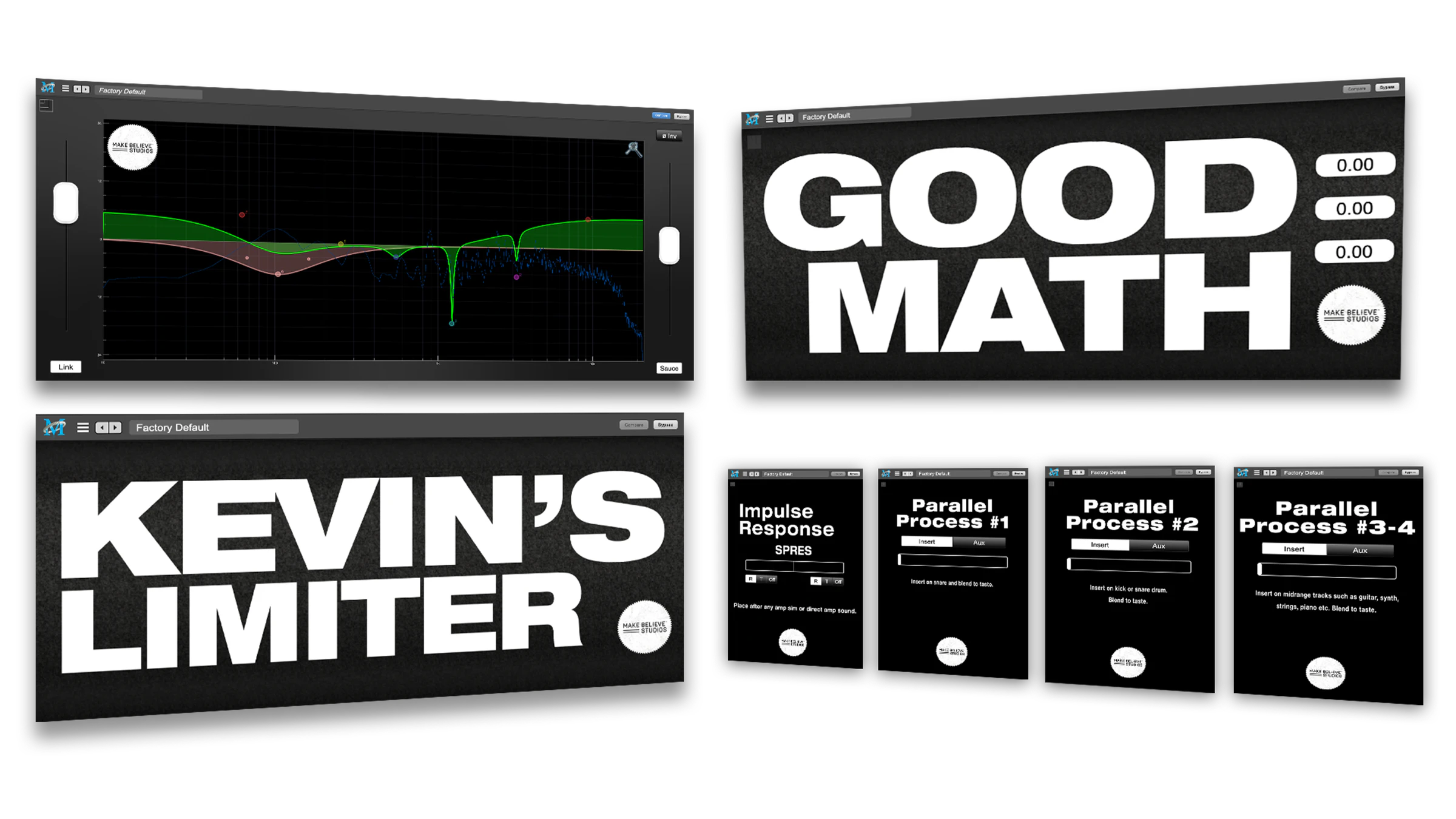 Make Believe BundleAll Make Believe Studios plugins from this collaboration are included with every mkIV unit as zero-latency modeled plugins running directly on the hardware.Explore
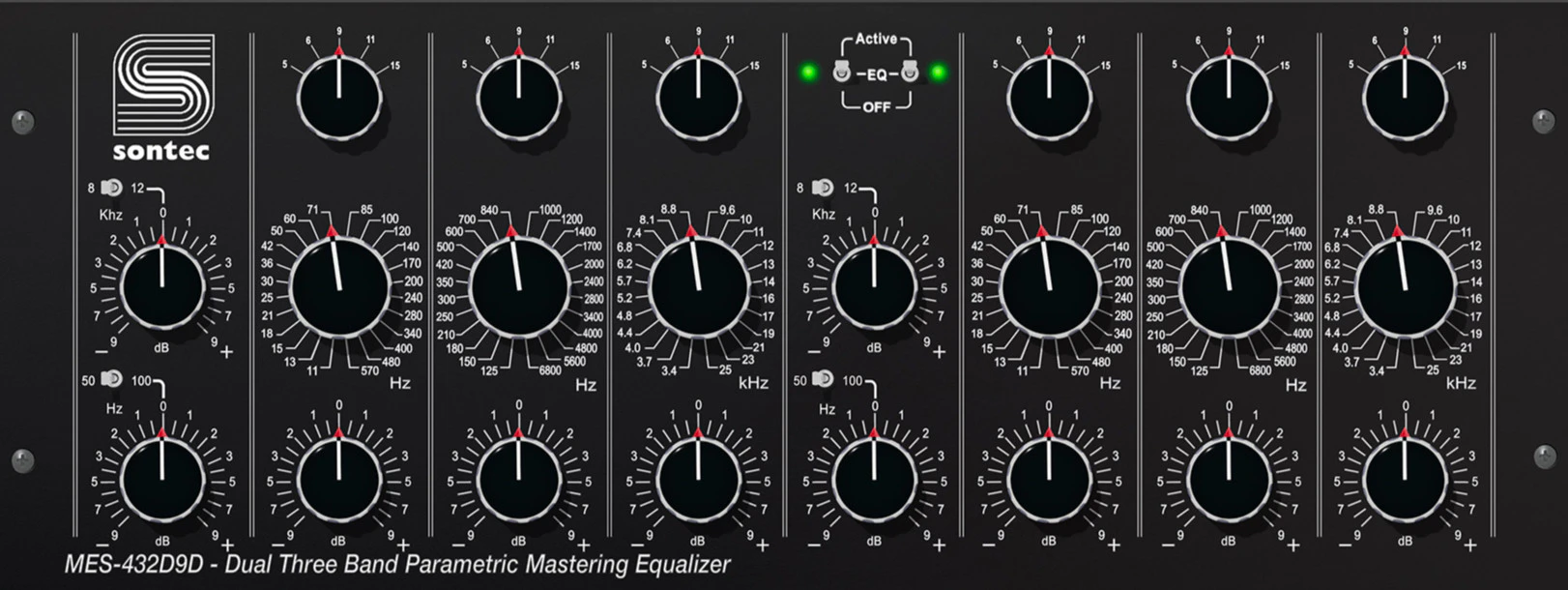 Sontec MES-432D9DThe classic Mastering EQ - fully and accurately emulated.Explore
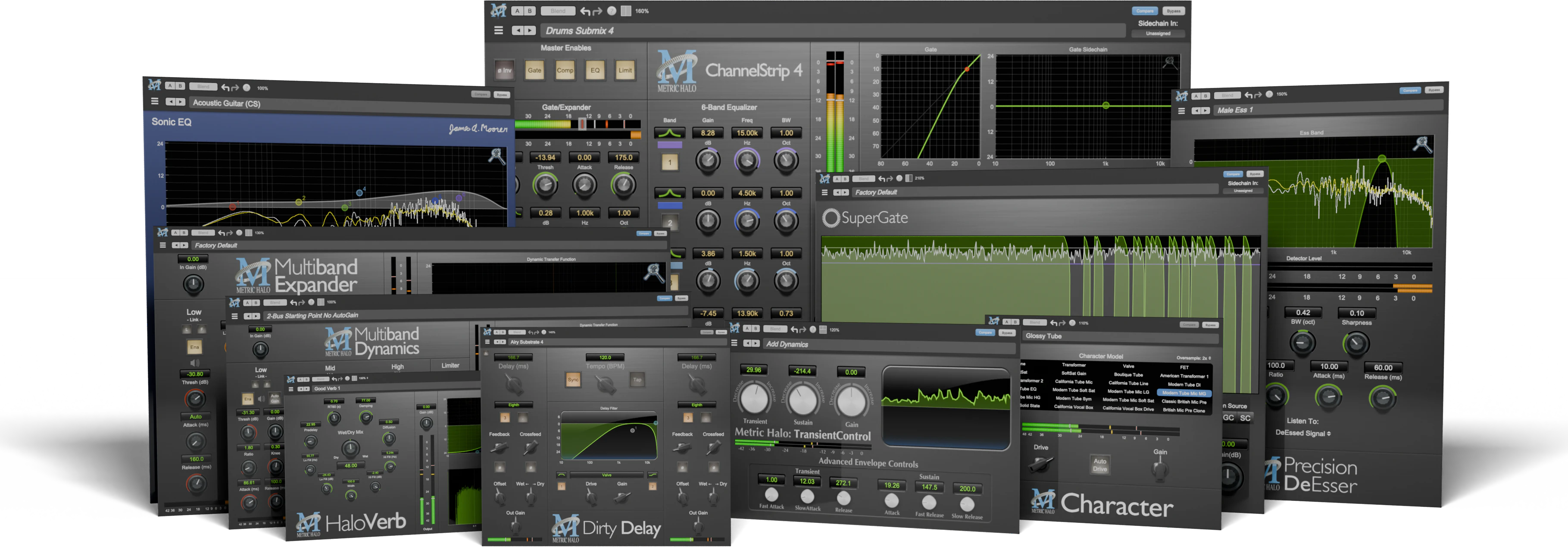 MH Production BundleThe Essential Toolset used by Grammy® Award-Winning Engineers and #1 Hit Makers the World Over!See in the shop
Loopback
Have you ever wanted to route audio from one app to another? For example maybe you want to capture a reference track from a streaming service or you need to grab the output of your DAW (post analog processing) and capture it to your mastering app. Or perhaps you need to route some audio from a pro app to your teleconferencing software.
The mkIV mixer supports the computer and SCP ports as first class routing destinations which makes it easy for you to route any signal back to the computer or any of the SCP ports.
Since the routing points are built into the mixer, the signals you loop-back to the computer can be outputs from the computer, any mix, or the output of any signal processing chain.
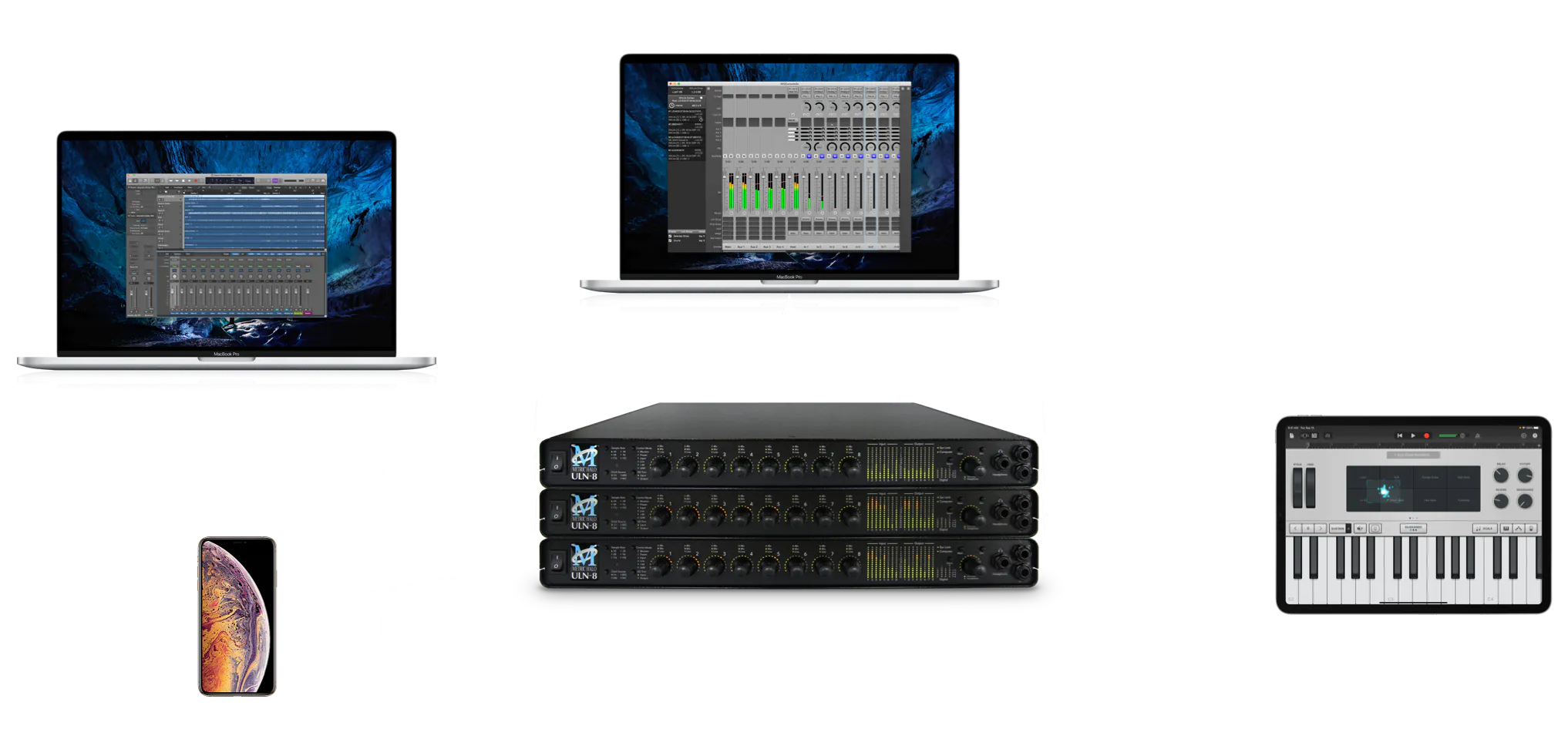
mkIV supports explicit routing to and from the USB connector on any unit in the MHLink chain. When used in this way the USB ports are referred to as Satellite Computer Ports.
This feature allows you to integrate audio from multiple USB host devices (computers, phones, tablets, MPCs, etc.) without having to purchase additional interfaces. It automatically keeps your devices synchronized with your system and provides device to device routing as well as integrated mixing and processing.
MIOConsole3d also controls the unit over USB so you can connect your computer with one cable.
Control Surface
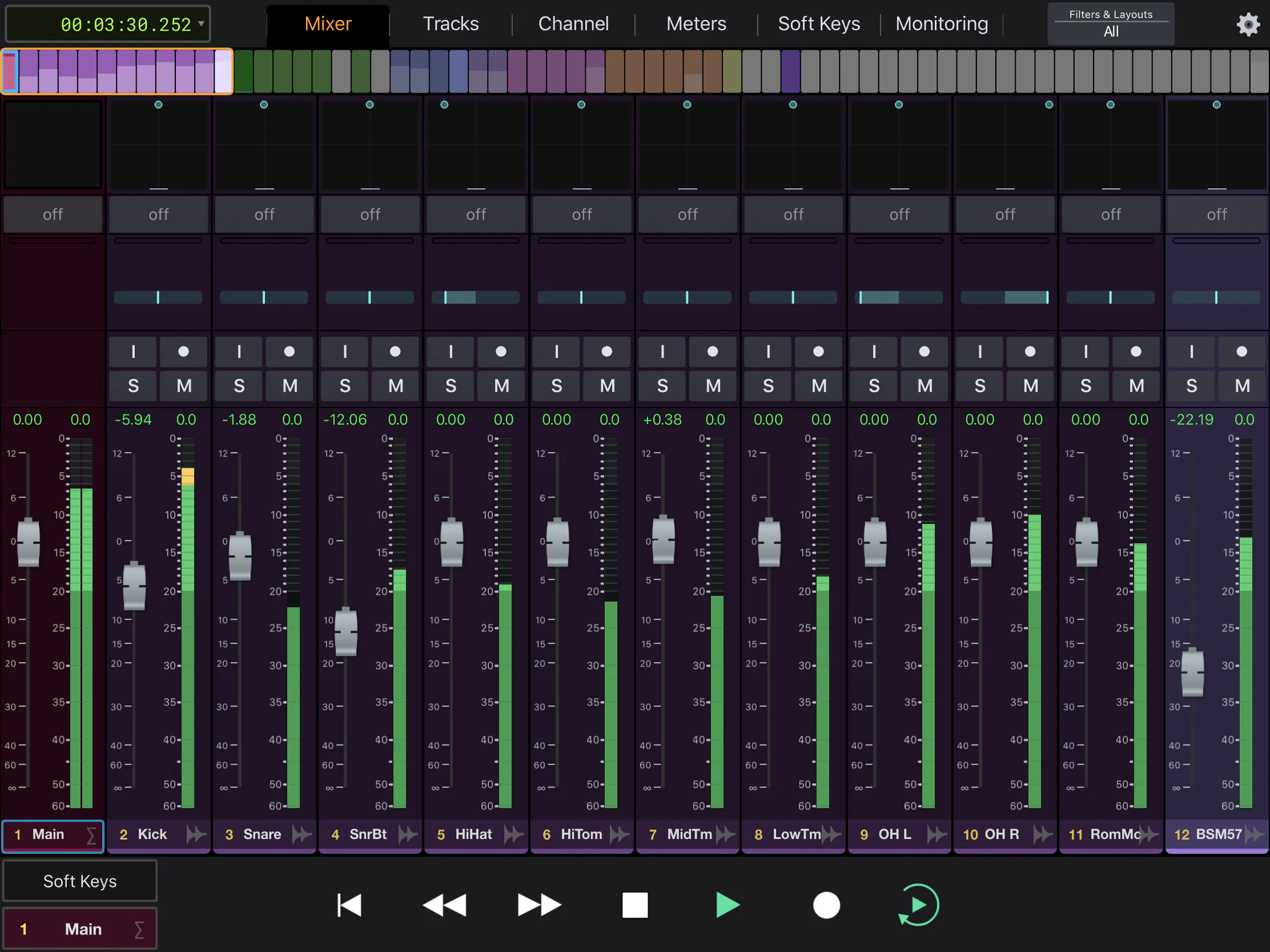
MIO Console supports the industry-standard Mackie Control protocol as well as Avid’s EuCon control surface protocol. If you want tactile control over MIO Console, all you have to do is add one of the many supported control surfaces.
Faders, pans, mute, solo, headamp controls and Session transport controls are at your finger tips, and MIO Console is ultra-responsive - no lag between the surface and the DSP.
You can navigate through your mix from your surface. Moving an Aux to the faders is a single button push, and if your surface has a master fader, the selected bus master is always on the master fader.
The Monitor Controller is also fully supported on EuCon. EuCon support includes things like source and destination selection, gain, mute, dim, mono and speaker mutes. EuCon also supports gain, dim and mute control for Cues.
The comprehensive EuCon support included with MIO Console means that you can use the free Avid Control app on iOS or Android to wirelessly control your mkIV mixer, headamps and monitor controller.
MIOConsole3d Software
- 3d Software
- macOS 10.11 - 26.x compatible
- For all 3d Units including mkIV
- Required for macOS 10.15+
v.6.4.01 runs on all versions of macOS from 10.11.x (El Capitan) to 26.x (Tahoe). We strongly recommend that all users running macOS 10.11 or newer update to v.6.4.01.
The changes between v.6.4.01 and the previous release are described in the v6.4.01 Release Notes.
.zip · 120.6 MB
There is a new streamlined PDF operations manual available for the 3d Software; it has been updated for v.6.4:
3d Operations Guide.pdf · 209.9 MBThere is also a full PDF reference manual available for the 3d Hardware and Software; it has been updated for v.6.4:
3d Users Guide.pdf · 256.1 MBThese manuals are also viewable from the: MIOConsole3d > Help > Open Operations Guide… / MIOConsole3d > Help > Open Complete MIO Manual… menu commands.
MIO Console Archive: For 2d and Legacy Systems